

Amongst all the ridiculous things I said before I had children (´I will remain calm and serene through childbirth, ´my kids will never watch TV´) was the claim that I would still find plenty of time to complete my annual photo album after I had kids.

Starting way back in 5 BC (five years before children), I had always thoroughly enjoyed the process of creating my annual photo album. I used the software from Australian company Momento and spent hours sitting at my computer, creating layouts and writing cheesy captions.
Then in 2016, my first son came along, and I very quickly fell behind.
One year, then two years, then three years. Even when I was four years behind, I kept telling myself that I was only a productive evening or two from getting back up to date. Yeah, right.
Finally, in 4 AD (four years after the death of my pelvic floor), I had to admit to myself that the process I had enjoyed before kids was not going to work anymore. Then, with spookily perfect timing, and proving that it knows me better than I know myself, the Instagram algorithm served me up an ad claiming it would help me create a stylish photo album straight from my phone.
Was this ad from the Swedish company called Once Upon, an answer to my photo album prayers? Spoiler alert – it’s is. Otherwise, this article would be entirely pointless.
The Process
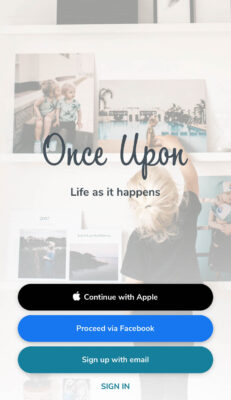
Downloading the app and setting up an account was straightforward, requiring no complicated forms or credit card details. Setting up a new album was also a simple process, with the starting template including only a title page and one blank spread (two pages), adding additional spreads easily as you go.
For each spread, you simply need to make three decisions:
-
Select between one and six photos.
When you click to add photos, it links to your camera roll and using some incredible sorcery it even arranges those photos by year and month (I heard a Hallelujah chorus break out in song when I first discovered this). This makes creating an annual album incredibly easy, as I divide the book by months and can easily access all the photos taken in that specific month. (If you are more organised than I am, you could also make a folder on your iPhone of top images for that month or year and then head straight to that folder).
-
Select a layout for the photos.
There is a ‘shuffle layout’ button that allows you to see these photos arranged in a few different layouts. There are not too many options, great to avoid decision fatigue, and they are all very clean and classy. It’s also easy to rearrange the order of the photos within your selected layout (i.e. if you want specific photos next to each other).
-
Add an optional title and/or caption.
Titles and captions are included on certain spreads and are always displayed centred on the left-hand side in a pre-defined font and size. I started each month with a title and a caption describing what we got up to before adding several spreads for photos.
There is a maximum of 100 spreads per book, which should arguably be plenty to summarise one year. However, because I am useless at editing and think every photo of my sons is ‘just the cutest, I couldn’t possibly leave it out’, I actually ended up with two books per year.
When it came time to order the books, again it was intuitive. I selected the size (I went classic 27x27cm), cover (hardback) and paper (standard glossy), entered my address and payment details and sent it off to the printer!



The Product
A couple of weeks later, I got the message I had been waiting for – that my albums were just a couple of days away (yay!). But my excitement quickly died down on reading that I needed to pay the CHF17.00 in import duties (boo!).
When they arrived, I immediately unboxed them (not in the manner of a YouTube kids video, but rather just literally taking them out of the box), and I was very pleasantly surprised with what I saw.
The size feels quite big and luxurious, the cover is excellent quality, and all the layouts and text look uncluttered and much classier than anything I could have ever achieved with my own design skills. The resolution of the photos was excellent; the only ones that were a bit blurry were the ones where the app had indicated a quality warning, which I had arrogantly ignored. While thick and good quality, the standard glossy paper is indeed quite glossy (fancy that), and I think for future books I will pay the bit extra for premium matte paper.


The Verdict
I’m a convert and will continue using Once Upon for my annual photo albums (and potentially some other photo album projects).
Three main features have turned me very quickly into an annoying evangelist for this product:
- I can do the whole thing on my phone, where let’s face it, I already spend a lot of time, so at least now some of it can be productive.
- Goodbye decision fatigue, thanks to a minimal selection of layouts, title and text options.
- All praise Swedish design. The photobooks live up to its Swedish heritage, in that they are simple, stylish and high quality.
In terms of negatives or areas for improvement, I should mention that the books are not particularly cheap (each hardcover 100 spread book was 90CHF) and that there is no possibility to edit or even crop photos within the app. I can’t forget the dreaded import duties either. I thought not being able to add captions to individual images was also a downside. Still, on reflection, I would quickly get myself four years behind again if someone gave me that option, so best keep any easily procrastinative tasks away from me.
Whether you use Once Upon or one of the many other options out there, I offer you my new mantra when it comes to creating and printing photo albums (one which my pre-kids self would be disgusted by): “done is better than perfect”. So get them done, before you end up with a backlog of a decade, in which case a productive evening or two most certainly will not get you back up to date.


